Posted on — Leave a comment

Branded Workspace Solutions for Employee Experience and Team Identity

Branded Workspace Solutions for Employee Experience and Team Identity

Most employees spend a large part of their day sitting at their desks. They type out emails, manage projects, and run daily tasks from the exact same spot. Because so much time is spent right here, the way a desk is set up can influence how comfortable people feel during their shift. A well-organized desk can help employees feel a bit more connected to their everyday work environment.

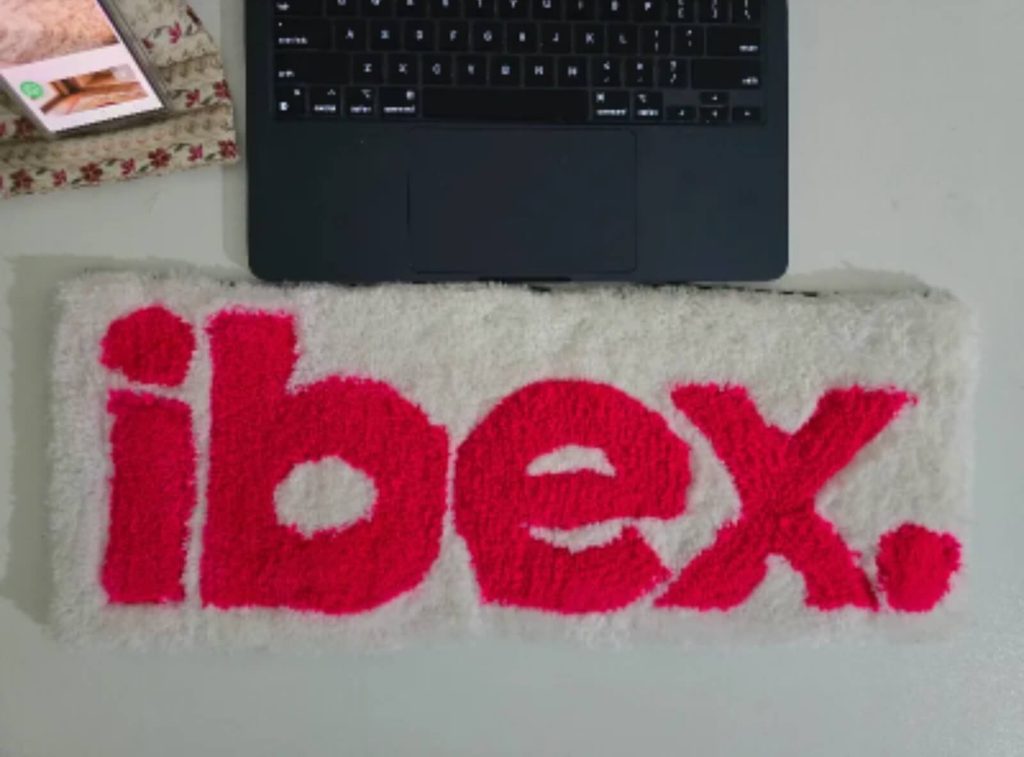
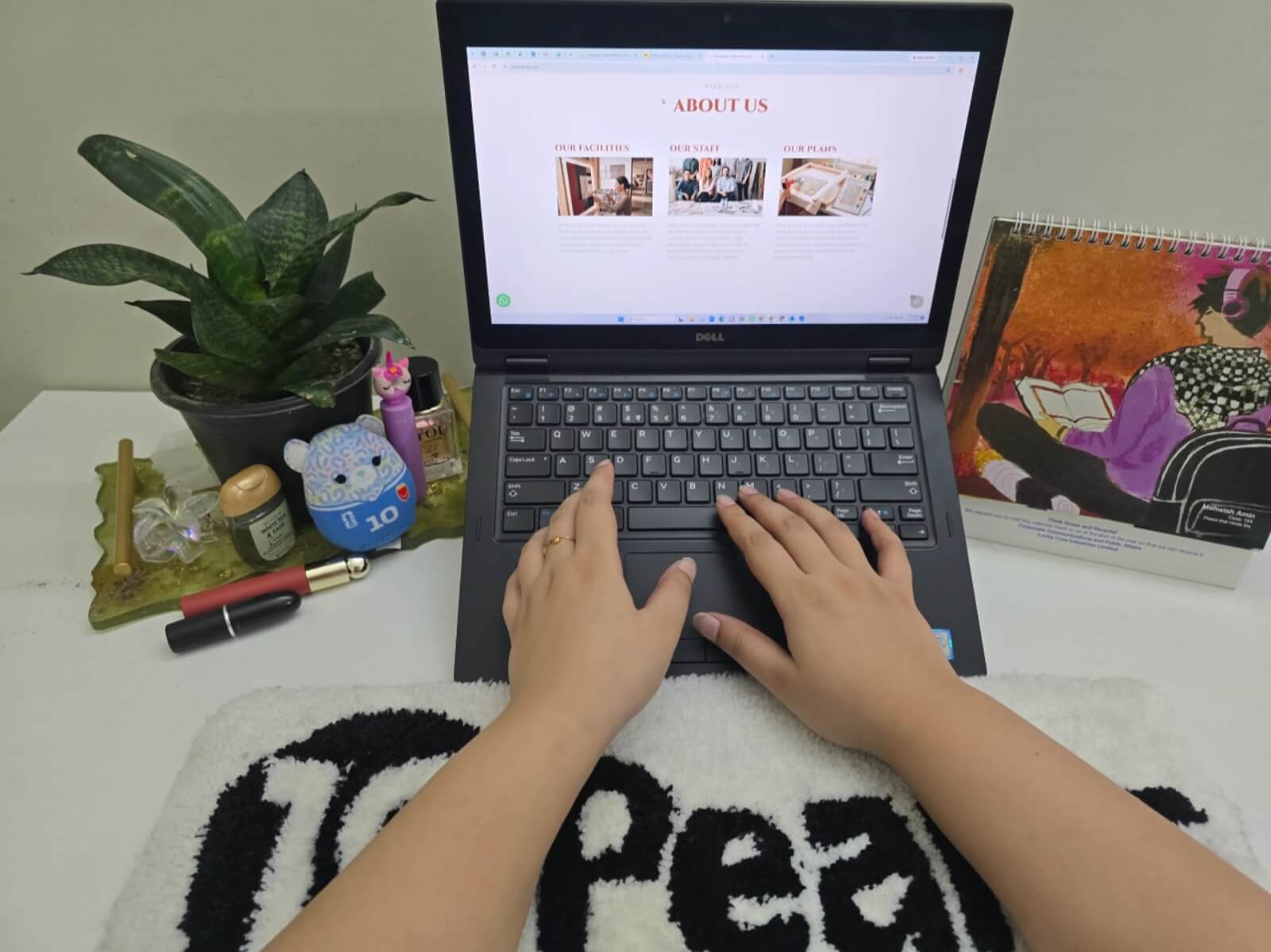
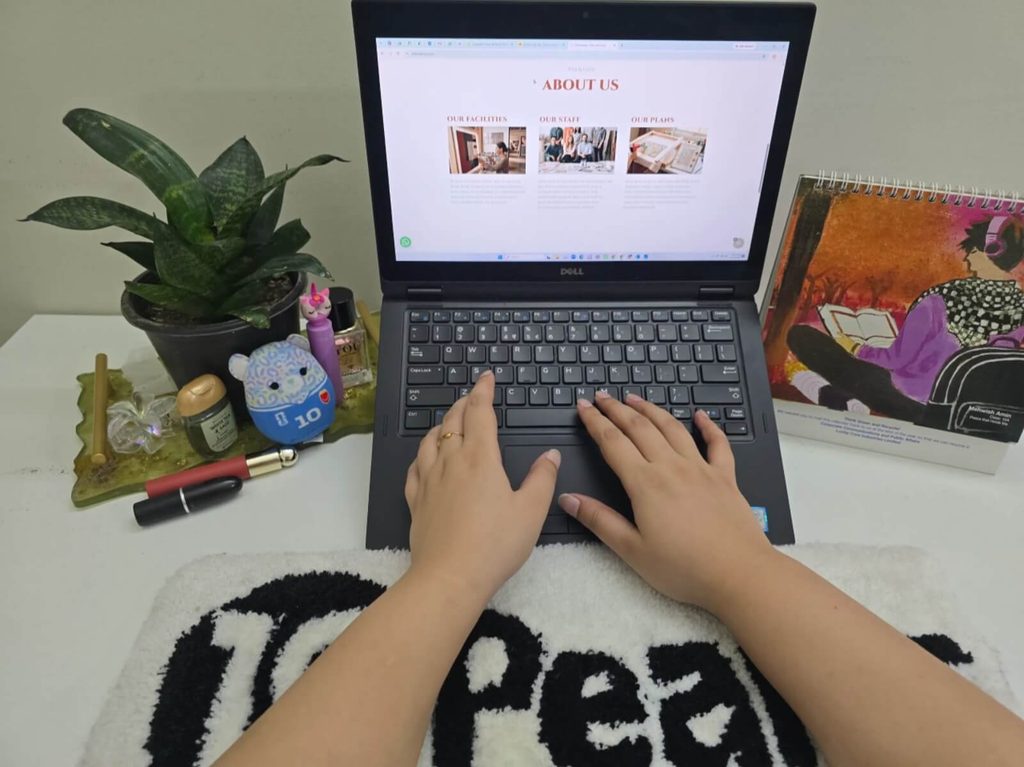
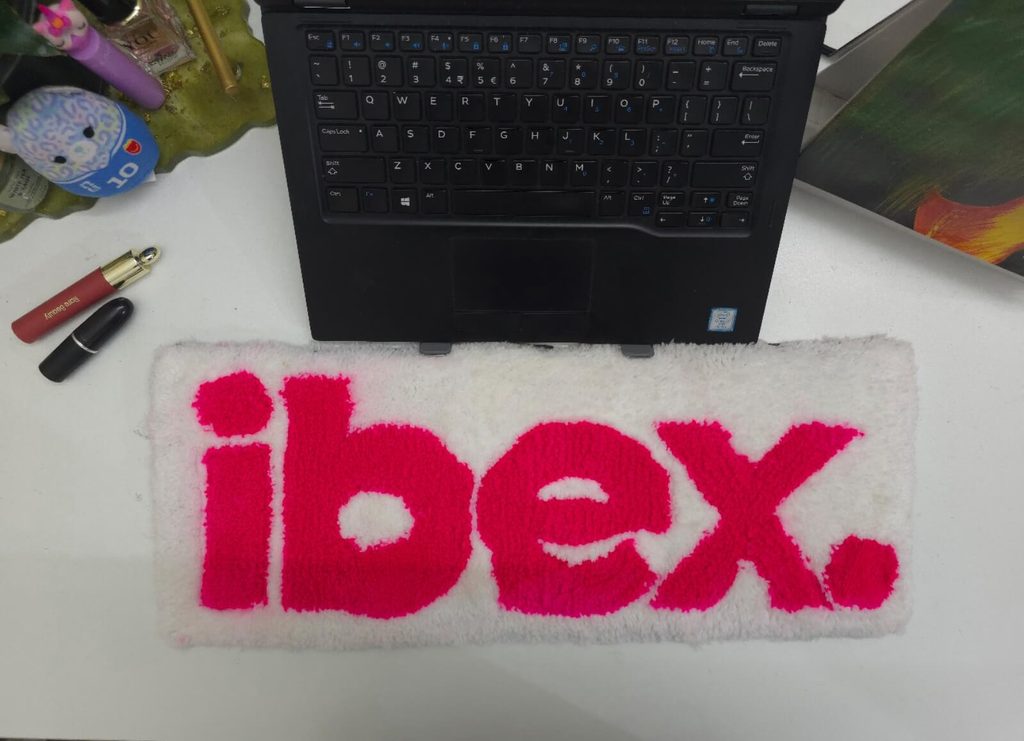
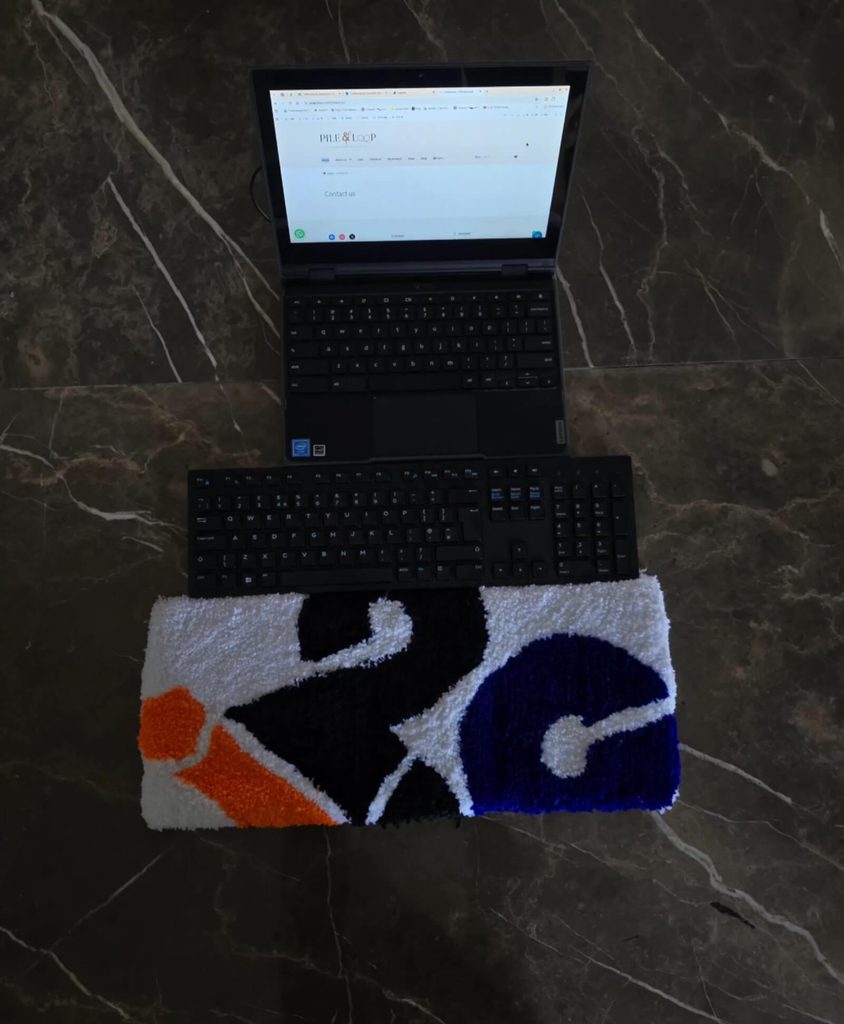
Adding company branding directly to a desk does not require a total change of the office furniture. Small, practical additions can often make a noticeable difference. Branded keyboard rugs offer a simple way to bring a company’s identity right onto individual desks. They act as soft mats that sit under key accessories, combining everyday function with visual branding.

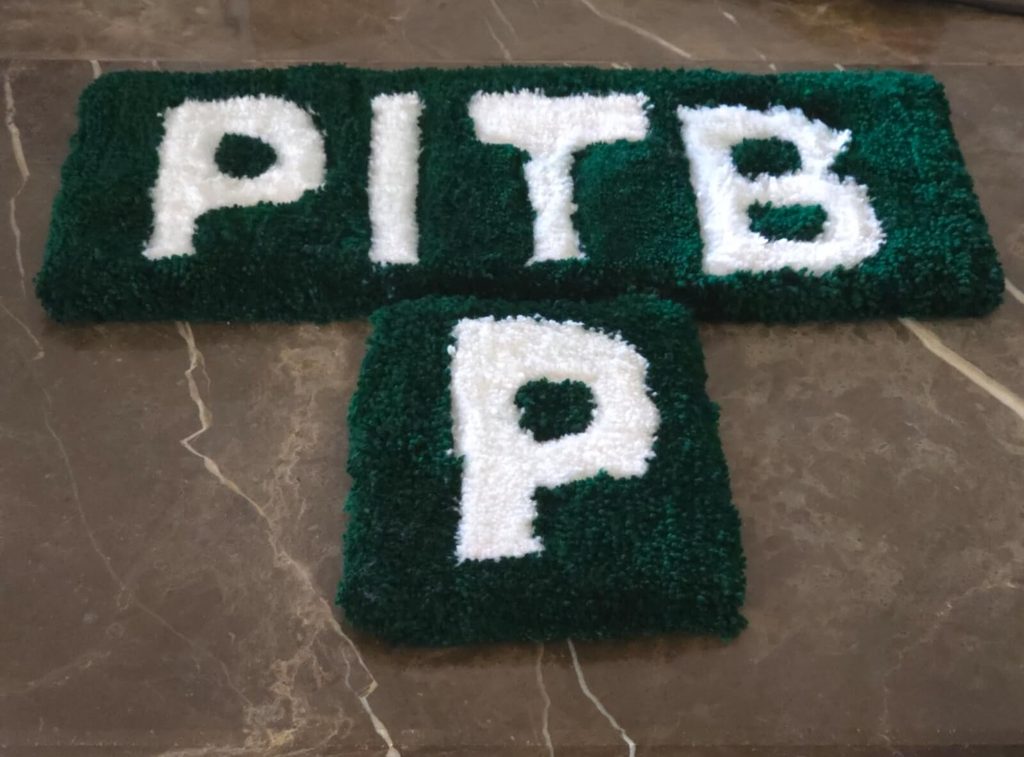
Custom keyboard rugs work well across various work setups. Whether you are outfitting existing team members, refreshing open plan office workstations, or building out dedicated computer stations, these keyboard rugs add a neat touch. Pile&Loop offer custom rug solutions, including custom keyboard rugs made to match specific workplace styles and workspace dimensions.
What Are Branded Keyboard Rugs?

A keyboard rug is a specially designed rug that sits directly under or against an employee’s keyboard area. Similar to a standard desk pad, it outlines the central typing area of the desk, giving hardware a designated surface to rest on.

What turns a standard mat into a branded keyboard rug is the inclusion of distinct company details built into the textile design:

Company Logos: Displaying the main crest, wordmark, or emblem.

Brand Colours: Using accurate brand colours to match company guidelines.

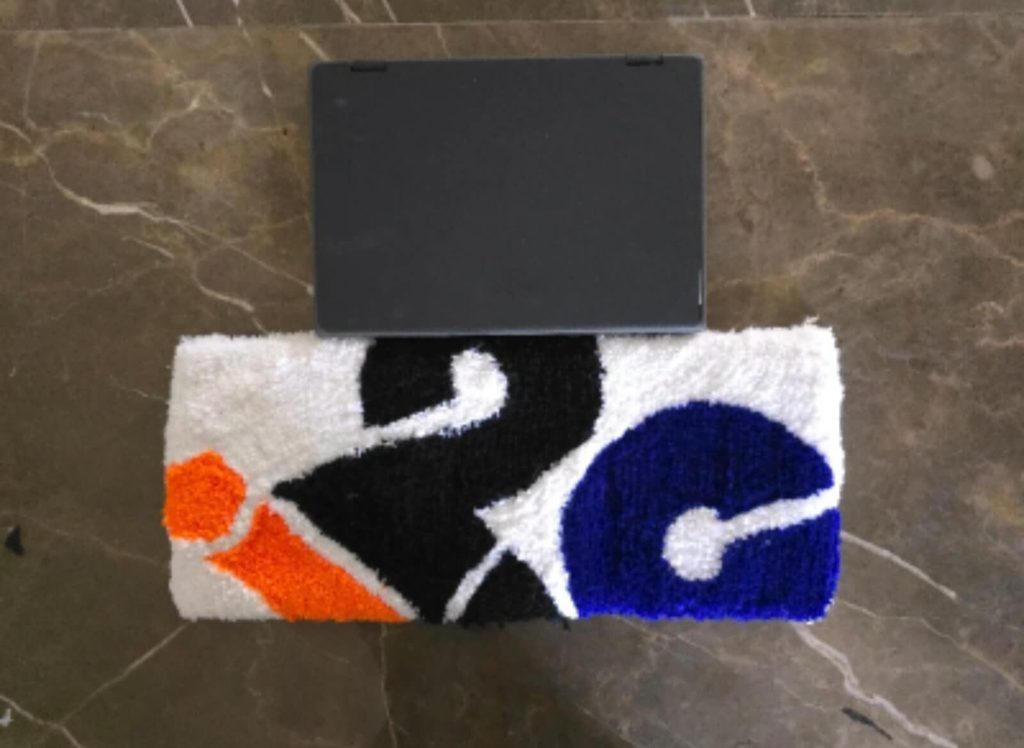
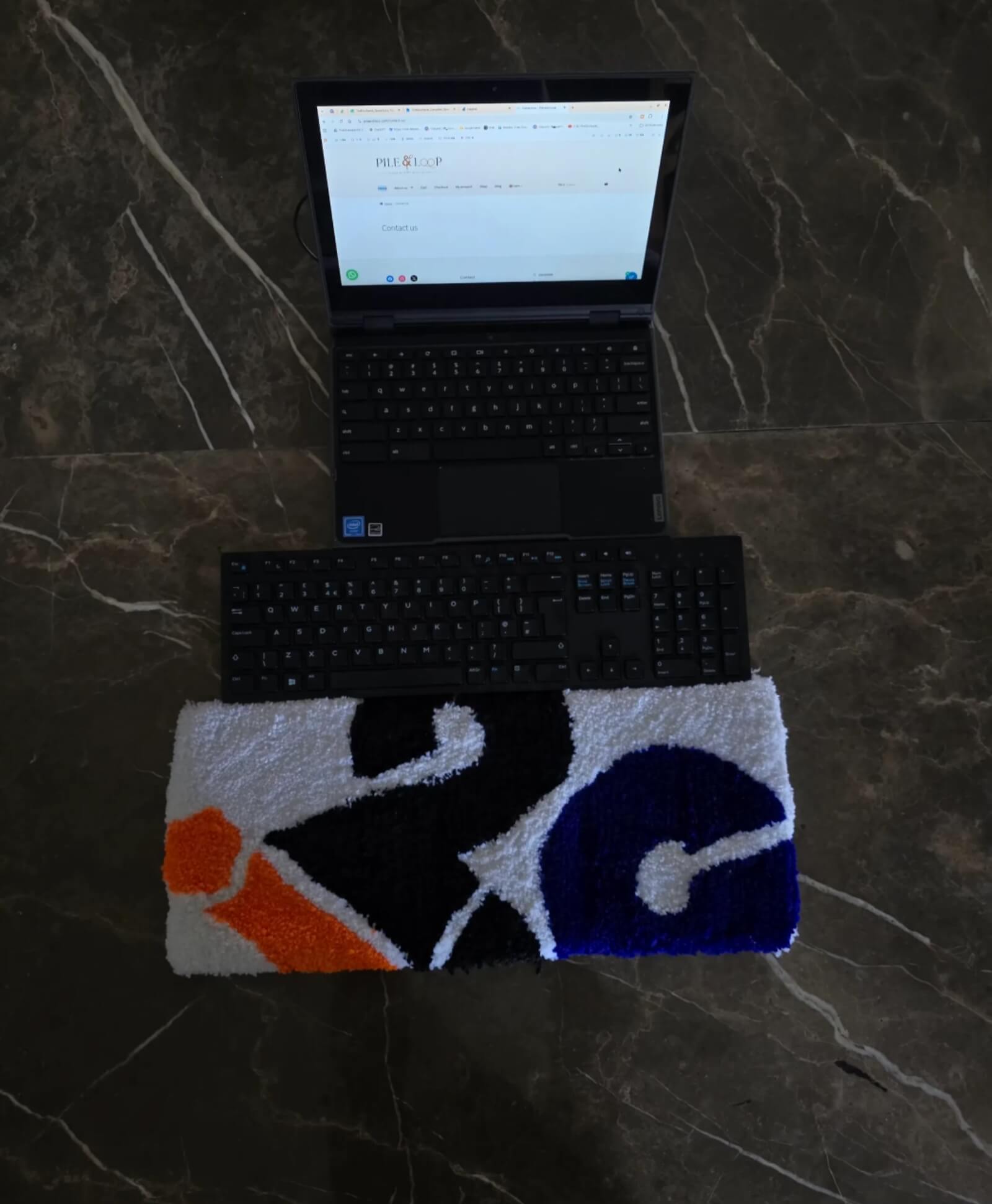
Custom Shapes and Patterns: Crafting unique borders, graphic lines,.or soft background patterns

Brand Elements: Incorporating company taglines or team icons into the fabric pattern.

These design choices can be tailored to suit any specific office look. Whether a workplace favors a bold graphic design or a soft tone pattern, custom manufacturing allows the rug to fit right into the room’s existing decor.

How Keyboard Rugs Can Support the Employee Workspace

Instead of focusing on promotional giveaways or occasional gifts, it helps to view keyboard rugs as everyday tools for the desk. They offer practical visual value for people using their computers day in and day out.

Creates a More Personal Desk Setup

Working long hours at a plain desk can sometimes feel repetitive. Adding a branded keyboard rug gives the space a clear visual identity. It connects the desk to the broader company culture, helping the setup feel intentional rather than generic, all without needing major layout changes.

Helps Define the Keyboard Area

A keyboard rug sets clear visual boundaries on top of the desk. It marks where the keyboard belong, which naturally helps keep random paperwork, pens, and clutter from creeping into the typing area. This gives the entire station a cleaner, more organized look throughout the workday.

Adds a Branded Touch to Individual Workstations

Many offices put their logos on entryway walls, lobby signs, or common room glass. While that looks great for visitors, employees don’t spend their day staring at the front lobby. Bringing brand elements directly onto individual desks allows team members to interact with the company’s visual style right where they actually work.

Keyboard Rugs and Team Identity

Team identity is the shared space that grows when people work toward common goals. The physical office environment plays a role in supporting this feeling. When employees across different desks use keyboard rugs with matching visual elements, it builds clear visual consistency throughout the room. Looking across an open floor plan and seeing unified design choices creates a soft, connected look across all stations.

Companies can also adapt this idea for specific departments. For example, the software engineering team, creative department, and customer support group might each have keyboard rugs featuring slightly different colours or sub team details, all while using the same overarching corporate logo and rug material.
Why Branded Keyboard Rugs Can Be Useful for Existing Employees

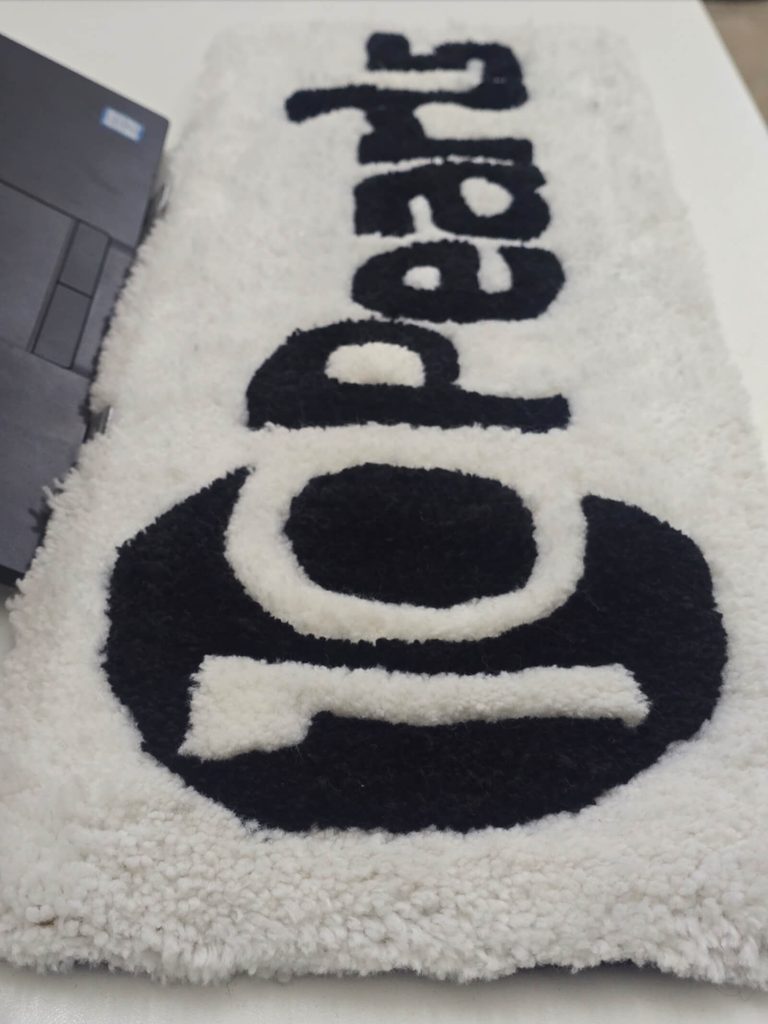
It is common for companies to focus workspace updates on new hires. However, current employees who have worked at the company for years also benefit when their workspaces get attention. Existing employees often already have complete desks with monitors, stands, and personal items set up. A keyboard rug can be added easily without replacing the whole workstation or moving heavy equipment. It provides a small, simple way to refresh an existing desk setup without disrupting the person’s daily work routine.

Companies can consider branded keyboard rugs when they plan to update workspaces, rebrand offices, or standardize desk setups. They offer a simple physical refresh, though they should be seen as a desk accessory rather than a guaranteed fix for employee satisfaction or job performance.

Choosing the Right Keyboard Rug for a Branded Workspace

To pick a keyboard rug that works well for daily use, companies can look at a few basic details before placing an order:

Consider the Desk Size: Look at the available space on the employee desks. Make sure the keyboard rug fits comfortably around the keyboard without spilling over desk edges or pushing into monitor stands.

Choose a Design That Matches the Brand: Look at the company logo and brand colours. Keep the design simple and easy to recognize. A clean layout ensures the rug looks good alongside existing office furniture.

Think About Everyday Use: Since employees use these rugs regularly, consider the daily office routine. Choose a design style and material that fits a typical computer desk environment. Consider Different

Employee Workstations: Not every employee has the exact same desk size or layout. Companies can check whether one standard size works for everyone or whether offering two different sizes looks good for the team.

Using Keyboard Rugs to Create a Consistent Workplace Look

Using repeated keyboard rug designs across an office can make workstations look far more consistent. When visitors, clients, or managers look across an open room, seeing the same logo, matching colours, or identical design style on every desk creates a neat, organized look.

This approach works well when a company wants its physical workspaces to clearly reflect its visual brand identity. Keeping the focus on keyboard rugs lets companies build this uniform style across individual desks without buying expensive matching furniture for every room.

Custom Keyboard Rugs for Different Types of Teams

Different departments perform different tasks, but branded keyboard rugs fit easily into almost any computer based workflow.

Software and Tech Teams

Tech teams rely heavily on computer setups with keyboards. Branded keyboard rugs fit naturally into these keyboard focused workstations, providing a soft surface under or against their daily input tools.

Creative and Design Teams

Designers care about visual details. Custom keyboard rug designs can be planned around the company’s visual style so the rug becomes a complementary part of the desk’s overall look.

Remote and Hybrid Teams

When employees work from home or use different hot desks in the office, custom keyboard rugs offer a light, portable desk element. Sending a branded keyboard rug to remote workers brings a bit of company branding to their home workstations.

Office Based Teams

In traditional office spaces with rows of desks, matching keyboard rugs create clear visual consistency across the entire floor. Different departments can use the same overall branding approach to keep the whole office looking uniform.
How Companies Can Plan a Keyboard Rug Order

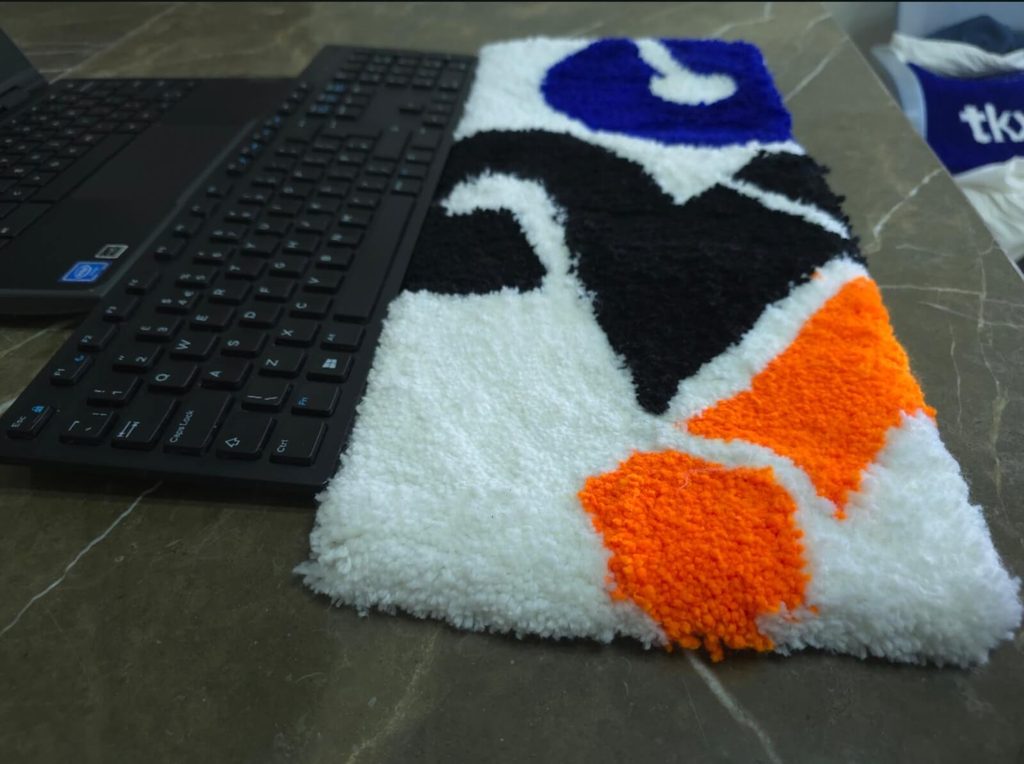
Planning an order for custom keyboard rugs is easy when you follow a clear sequence:

  • Decide how many employees need keyboard rugs for their desks.
  • Measure a few typical desks and check keyboard sizes across the office.
  • Finalize the official company logo file and design layout.
  • Select suitable brand colours and materials based on the intended desk setup.
  • Confirm the total quantity and sizes needed for the office.
  • Review a visual design sample before placing the final order.
  • Discuss custom requirements with Pile&Loop based on the keyboard rug options they offer.

Conclusion

Employees interact with their desks every single working day. Adding branded keyboard rugs gives companies a simple, practical way to bring their visual brand identity directly to individual workstations without replacing existing desk furniture or making major floor plan changes. Selecting the right size, clear branding, and a suitable design ensures the rug fits naturally onto any desk. If you are looking to refresh current team workstations or standardize your office appearance, custom keyboard rugs are a practical option to consider.

Looking for custom keyboard rugs for your team’s workstations? Explore the custom keyboard rug options from Pile&Loop and discuss your branding, size, and design requirements with team today.

FAQs

Should all employees receive the same keyboard rug size?

Not always. The right size often depends on available desk space, the size of the keyboard and mouse setup, and how each workstation is used. Checking a few desk dimensions first helps you decide if one size works or if multiple sizes are needed.

Can keyboard rug designs be different while keeping the same company branding?

Yes. Companies can choose slightly different background designs or secondary colors for different departments while keeping core brand elements like the main logo or primary brand colours identical.

Can a branded keyboard rug fit into an already designed office?

Yes. Because keyboard rugs can be customized with neutral tones, simple shapes, or minimal logos, companies can easily pick a design that matches their current desk finishes and office decor without changing the rest of the room.

How can companies keep branded keyboard rugs consistent across multiple workstations?

To maintain a consistent look, companies should use approved high resolution logo files, stick to standard brand color codes, follow clear design guidelines, and order agreed sizes for their workstations.

Are branded keyboard rugs suitable for companies with employees working from different locations?

Yes. Companies with office, remote, or hybrid teams can consider keyboard rugs for various locations based on individual workstation needs, providing a practical way to add company branding to any desk setup.


Posted on — Leave a comment

Branded Desk Accessories For Existing Teams: Beyond Onboarding Kits

Branded desk accessories are usually associated with onboarding kits given to new hires on day one. While welcoming a new employee with a customized desk setup is a great practice, branded desk accessories can offer real value to team members who have been with a company for years.

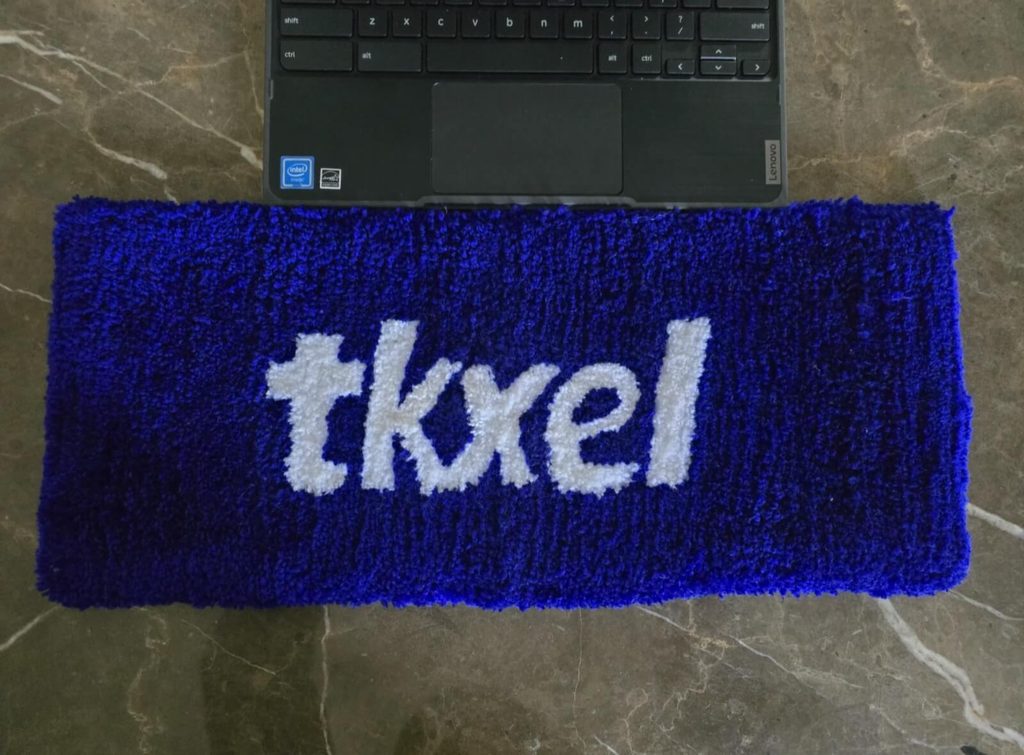
A branded keyboard rug is a simple, effective way to bring a company’s identity directly into an established workspace. Unlike standard desk pads, a keyboard rug sits under and around the keyboard area, adding texture and design while incorporating an approved logo, company colours, or specific patterns.

This guide explains why existing teams use branded keyboard rugs, where they fit best in a modern workspace, what factors to consider before ordering, and how custom designs can adapt to different departments.

Why Branded Desk Accessories Can Be Useful Beyond Onboarding

Desk accessories do not need to be limited to welcome packages. Existing employees spend hours at their desks every day, and refreshing their setup can be thoughtful.

There are several everyday workplace situations where introducing branded keyboard rugs looks good for established teams:

Team Milestones: Celebrating a major product launch, a completed project, or a company milestone.

Company Events: Handing out functional desk merchandise during annual retreats or internal conferences.

Employee Recognition: Offering a unique accessory to acknowledge team members for their hard work.

Rebranding or Department Updates: Updating desk spaces when a company refreshes its visual identity, colours, or logo.

Office Refreshes: Upgrading the desk setup without changing the whole setup.

Using keyboard rugs for these occasions gives existing employees a functional piece of desk gear that serves a purpose while keeping company branding visible.

What Makes a Keyboard Rug Suitable for Team Branding?

Planning a custom keyboard rug for a team requires balancing brand visibility with daily usability. A good design looks great on its own and functions well when a keyboard is placed against it.

Company Logo Placement: A logo should be placed where it remains visible during standard use. Centering a logo is a good option because the keyboard sits against it. Placing graphics along the edges, corners, or as a repeating border also works much better.

Brand Colours: Incorporating company colours gives the rug a cohesive look. However, neutral tones mixed with brand usually fit better into professional desk environments without overwhelming the workspace.

Size and Desk Space: Desks come in many shapes and sizes. The rug should comfortably hold the keyboard without crowding other daily essentials like monitor stands, note pads, or coffee mugs.

Shape and Overall Design: Rectangular layouts are standard, but subtle variations in shape can work depending on the design. The overall look should remain clean and practical.

Branded Keyboard Rugs for Existing Teams: Where Can They Be Used?

Custom keyboard rugs adapt well to several workplace settings:

Team Desks: Placing matching keyboard rugs across an entire team creates a unified look across a row of desks while allowing each person to maintain their personal workspace.

Department Workspaces: Different departments (such as engineering, design, or sales) can use rugs tailored with subtle visual cues or approved sub-branding while staying aligned with the main company identity.

Company Events: Instead of standard promotional items, keyboard rugs make practical gifts during company wide gatherings or internal anniversaries.

Employee Recognition: Adding a custom desk accessory to a recognition program offers a suitable item that stays on the employee’s desk long after the recognition event ends.

How Custom Keyboard Rugs Can Support a Consistent Desk Setup

When multiple employees work in the same open space or shared area, varied desk setups can sometimes look cluttered. Matching keyboard rugs help establish a uniform visual line across individual workstations. Consistency in logo placement, colour choices, and dimensions keeps the office layout clean. Crucially, the rug should never interfere with work: key elements like smooth keyboard stability must always come first.

Personalization Options for Existing Team Members

While maintaining brand consistency is important, adding slight personal touches can make the items feel more meaningful to individual team members.

Employee Names: Adding a small, discreet name tag design to one corner allows team members to easily identify their desk setup.

Team or Department Names: Including text like “Design Team” or “Customer Support” alongside the main company logo helps build departmental identity.

Design Variations: Using a shared colour palette with slightly different graphic patterns allows teams to keep things interesting without straying from core brand guidelines.

Choosing the Right Keyboard Rug for Your Team

Before placing an order, review this practical checklist:

Consider Desk Size: Measure the actual surface area available on standard company desks. Account for dual monitor stands, lamp bases, and other items.

Check Material and Construction: Different fabric weaves and pile styles have specific care requirements. Make sure the texture is smooth enough for comfortable everyday use.

Think About Daily Use: Consider the daily work habits of your team. High traffic areas or desks where employees frequently eat or drink may require specific maintenance considerations.

Plan the Artwork First: Gather high resolution logo files and approved brand colour codes. Always review a digital preview before approving production.

How to Plan a Branded Keyboard Rug Order for an Existing Team

Follow these straightforward steps to plan your order efficiently:

Identify the Recipients: Decide if the rugs are for a specific team, a department, or the whole company.

Determine Sizes: Measure standard desk spaces to select a practical size.

Finalize the Design: Select your preferred colors, logos, and optional text elements like names or departments.

Prepare File Assets: Get high resolution vector artwork files ready for the design review.

Review Proofs: Double check logo placement and margins before giving final production approval.

Common Mistakes to Avoid When Ordering Branded Keyboard Rugs

  • Ordering a single size without measuring standard employee desks first.
  • Placing logos where the keyboard and hands hides them completely.
  • Crowding the design with too many words, graphics, or bright colours.Ignoring how the rug interacts with wrist rests.
  • Approving low resolution artwork that looks blurry when printed or woven.
  • Creating vastly different designs for every department without an overarching brand rule.
  • Failing to check care instructions for the selected material.

Conclusion

Branded desk accessories are not just for day one welcome kits. For existing teams, a well designed custom keyboard rug brings company identity into the daily workspace in a functional way. By taking time to measure desk space, choose practical placement for logos, and plan artwork carefully, you can create a useful accessory that your team will appreciate every day.

Looking for a branded desk accessory for your existing team? Explore custom keyboard rug options with Pile&Loop. Reach out to our team to share your logo, discuss design ideas, and review size requirements to fit your specific office layout.

FAQs

Should every employee receive the same keyboard rug design?

Not necessarily. While using the same design creates a uniform look across open office layouts, companies often choose subtle variations for different teams or departments while keeping core brand elements consistent.

How should a company decide what size keyboard rug its team needs?

Measure the standard desk dimensions in your office. Take into account the size of the keyboards used (full size vs. compact), and other items sitting on the desk like monitor stands or desk lamps.

What information should a company prepare before requesting a custom keyboard rug?

It helps to have your high resolution logo files, official brand colour codes, desired rug dimensions, approximate quantity needed, and any specific text details (like employee or department names) ready.

Can different departments have different branded keyboard rug designs?

Yes. Different departments can use custom variations, such as incorporating department names or unique accent colours, provided they stay within the company’s overall branding guidelines.

Are keyboard rugs suitable for both individual and shared workspaces?

Suitability depends on the desk size and layout. For dedicated personal desks, they add a comfortable visual boundary. For shared or individual, simple neutral designs usually work best to accommodate different users throughout the week.

Research Resources

Source title:

GG Tufting

Publisher:

https://ggtufting.com/en/blogs/tufting-blog

Information used

Materials, keyboard setups, and choosing a rug based on the user’s desk arrangement and keyboard rugs for employee gifts.

Posted on — Leave a comment

How Companies Can Upgrade Existing Employees Workstations Without Replacing the Whole Desk Setup

When a company wants to freshen up its office, the first thought is often to replace desks, chairs, or full workstation setups. This usually means new furniture, new equipment, and a lot of planning across the whole office. But this is not always needed. In many offices, the desk works fine, the chair works fine, and the keyboard and mouse work as they should. What feels a bit outdated is how the desk looks, not how it works.

This is where a keyboard rug can help. It is a small item that sits around the keyboard area on a desk that is already in use. It does not ask the company to buy new furniture or swap out any equipment. It simply sits on the desk surface, around the space where the employee already works, and gives that area a different look.

Companies do not have to update every desk in the same way or all at once. Some may want to try it on a few desks first, or in one team, before deciding whether to use it more widely. What matters is that the update can be small, based on the space on the desk, the number of employees, and the general style the office already has.

Why Upgrade Existing Workstations Instead of Replacing Everything?

Replacing a full workstation takes more than swapping one item. It usually means removing the old desk, bringing in a new one, and often changing the chair, keyboard, and mouse as well. For one desk, this might not take long. But for an office with many desks, this turns into a bigger project with more cost and more time spent moving things around.

In a lot of cases, this kind of full replacement is not really needed. The desk still works fine for daily use. The keyboard still works. The mouse still works. What has changed is that the office wants a different look, or wants the space to feel more organized, or wants to bring in something related to the company’s branding. None of these reasons call for replacing equipment that is still doing its job.

This is why some companies look at smaller updates instead of a full workstation change. Rather than replacing everything, they add one item that changes how the desk looks without touching the parts that are still working. A keyboard rug is good option for this kind of update. It sits on the desk that is already there, works with the keyboard that is already being used, and does not require any other part of the workstation to change.

What Is a Keyboard Rug and Where Does It Fit?

A keyboard rug is a flat piece of fabric that sits on a desk, placed under or around the keyboard and mouse. It sits on top of the desk surface, in the area where the employee’s keyboard already is, and gives that space a slightly different look.

The rug is placed where the employee’s hands already work through the day, which is the keyboard area. The keyboard sits on the rug, or partly on it, and the mouse has its own space on the rug too. Nothing about how the employee uses the keyboard has to change. It stays where it is before, just now resting on the rug instead of on the bare desk.

It helps to be clear about what a keyboard rug is not. Replacing a desk surface means removing the top of the desk and putting in a new one, which changes the whole surface the employee works on. A keyboard rug does not do this. It does not touch the desk underneath, and it does not change anything about the structure of the workstation. It works more like an accessory, just covering a bit more space around the keyboard as well. Its role stays focused on that one part of the desk.

How a Keyboard Rug Can Update an Existing Workstation

Refreshing the Desk’s Appearance

A desk that looked fine when it was first set up can start to feel plain after a while, especially if nothing about it has changed in a long time. This does not mean anything is wrong with the desk. It just means the same look has been there a while, and a small change can shift how it feels.

Adding a keyboard rug is one way to bring some change into that space without buying new furniture. The colour of the rug, the pattern, or a design connected to the company can be picked based on what fits the office. A plain desk with a rug that has some colour or pattern will look different from the same desk without it. The desk itself has not changed, but the look of that part of the desk has.

Creating a More Defined Keyboard and Mouse Area

On a regular desk, the keyboard can end up blending into the rest of the desk surface, without any clear line between the work area and everything else on the desk. A keyboard rug gives that area a clear boundary. Instead of the keyboard sitting somewhere on an open desk surface, the rug marks out where that space begins and ends.

This can make the desk feel more organized, since there is now a visible section for the keyboard rather than an open surface with no clear layout. It gives that part of the desk a settled, defined look, which is often the part of the workstation people notice first.

Adding a Personal Touch to Employee Desks

Companies do not have to use the exact same design on every single desk. Some businesses may prefer to give different teams their own version of the rug, using different colours or patterns while keeping the overall style connected. Others may want employees to have some choice in which design they get, from a set of options the company has picked.

This kind of flexibility means the update does not have to feel forced or the same everywhere. One team’s desks could have one look, while another team has a different one, and both can still feel like they belong to the same office. The choice comes down to what the company prefers, based on how teams are set up or what employees like.

Custom Keyboard Rugs for Company Workstations

Some companies want their workstation accessories to reflect their brand rather than use a general design. This is where custom keyboard rugs come in. Instead of picking from a set of ready made patterns, the company can work on a design built around what they want the rug to show.

A custom design could include:

  • The company’s logo placed somewhere on the rug.
  • The company’s brand colours used as the main colours.
  • A simple pattern that fits the general style of the office.
  • A design made for one team or department.
  • Other artwork the company wants to use, as long as it fits the format of a keyboard rug.

Whatever direction the design takes, it needs to work with the desk space and the keyboard and mouse setup the employee already uses. A design that looks good on its own but does not fit the size of the desk, or does not sit well with the keyboard and mouse placement, will not work as well once it is actually in use. This is worth thinking through before settling on a final design.

Using Company Branding Without Changing the Whole Workspace

Many companies want their branding to show up somewhere in the office, but not every company wants to go through a full change of the workspace to do that. Changing walls, furniture, or the layout of the office just to add a logo somewhere takes a lot of effort for a fairly small goal.

A branded keyboard rug gives a smaller way to do this. Since it sits on a desk that already exists, it does not require changing anything else in the workspace. The company logo or the brand’s main colours can be placed on the rug, and that alone can bring some of the company’s identity into the employee’s daily workspace, without touching the furniture or the layout of the office.

The design still needs some care. A logo that takes up too much space, or colours that clash, can make the desk look cluttered rather than clean. The goal is for the branding to be visible without taking over the whole rug or making the desk feel too busy.

Choosing Keyboard Rugs for Different Employee Workstations

Desks within the same office can be different from one another. One employee might have a desk with a fair amount of open space, while another has a smaller desk with less room around the keyboard and mouse. Keyboard and mouse placement can also shift a bit from person to person, depending on how each employee has set up their desk.

Before ordering rugs for a number of employees, it helps to look at a few things directly, rather than assuming every desk is set up the same way:

  • How much open desk space is available around the keyboard.
  • Where the keyboard is usually placed on each desk.
  • The general design style already used in the office, so the rug design fits in.
  • How individual employees tend to use the space around their keyboard.

Skipping this step and ordering the same size and design for every desk without checking can lead to rugs that do not sit well on some desks, either because there is less space than expected or because the keyboard is placed differently than assumed. Taking the time to check this beforehand can help avoid that.

Updating Workstations Across Teams or Departments

When a company plans to update a number of desks, there are different ways to approach it, and the right one can depend on how the company works. A few common options include:

  • Using one design across the whole office, so the keyboard rugs look the same everywhere.
  • Giving each department or team its own version of the design, while keeping some shared elements.
  • Using branding focused designs in areas where clients or visitors are more likely to see the desks.
  • Making small variations between teams, such as different colours, while keeping the overall pattern similar.

Each of these options works differently depending on how the office is set up and what the company wants people to see. A company that wants a strong concept of consistency across the office might lean toward one design for everyone. A company with distinct teams might prefer some variation so each team has its own look.

Keeping a few elements the same across all the designs, even when there is variation, can help the desks feel connected. This might mean using a similar colour palette across teams, or keeping the logo in the same place on the rug, even if the background design changes. This way, the desks can still feel like they belong to the same office, even with some differences between them.

Things to Check Before Ordering Keyboard Rugs for Employees

Before placing an order, especially for a number of desks, it helps to go through a short checklist. This can help avoid issues later, such as rugs that do not fit well or designs that need to be redone.

  • Check the desk space available around the keyboard on each desk.
  • Confirm the current keyboard setup, including where it usually sits on the desk.
  • Decide whether the company wants a standard design or a custom one built around the brand.
  • Check the quality of any logo or artwork file before it goes into the design, since a low quality file can affect how the final rug looks.
  • Work out how many workstations need to be updated, since this affects the planning and the order size.
  • Decide whether every employee will get the same design, or if there will be different designs for different teams.
  • Review the final design and details one more time before the order is placed, to catch anything that might need adjusting.

Going through this list before ordering, rather than after, can save time and avoid having to fix things once the rugs have already arrived.

How Pile & Loop Can Fit Into a Workstation Upgrade

For companies thinking about custom keyboard rugs as part of updating their workstations, Pile & Loop is a place to start that conversation. This means sharing the design ideas the company has in mind, along with details like size, colour, or branding elements, and working through the specifics from there.

Every request is reviewed before the production, it helps to have a general idea of the existing workstation setup. This includes the desk space available, the current keyboard arrangement, and how many workstations are being considered for the update. Having this information ready can make it easier to settle on a design that fits the desks it is meant for.

Conclusion

A full workstation replacement is not the only way to make an office feel more current. A smaller change, like adding a keyboard rug, can shift how a desk looks without touching the parts that are already doing their job. It gives the keyboard area a clearer shape and can bring some freshness to a desk that has looked the same for a while.

For companies that want their workstations to reflect their brand or match their office style, custom keyboard rug designs are worth looking into. If you are looking to update existing employee workstations without replacing the complete setup, take a look at custom keyboard rug options from Pile & Loop and talk through a design that fits your company’s desks and branding needs.

FAQs

Can a keyboard rug be added to an existing office workstation?

Yes. A keyboard rug sits on top of the desk that is already in place, so it does not require the company to replace the whole workstation. The desk, chair, keyboard, and mouse can stay as they are.

What should companies consider before adding keyboard rugs to employee desks?

It helps to check the available desk space, the current placement of the keyboard and mouse, the design the company wants to use, and how many workstations will need to be updated. Checking these details ahead of time can help prevent sizing or placement issues later.

Can companies use their logo on custom keyboard rugs?

Yes, companies can ask about adding their logo or other branding elements as part of a custom design. The logo should be placed in a way that fits the size of the rug without making the design feel too crowded.

Should every employee have the same keyboard rug design?

Not necessarily. Some companies prefer one design across the whole office, while others choose different designs for different teams or departments. Both approaches can work, depending on what the company prefers.

How can companies make sure a keyboard rug fits the existing workstation?

Checking the desk layout, the available space, and the current keyboard and mouse placement before ordering can help in choosing the right dimensions for each desk. This step can be useful when ordering rugs for a number of employees at once.

Research Resources

Source title

Corporate Logo Mats Brand Identity with Every Step

Publisher

Xpress Mats

https://www.xpressmats.com/create-brand-identity-with-corporate-logo-mats

Information used

How branded logo rugs support used in offices to upgrade the workstation, and why accurate logo/colour reproduction matters for a branding product to work as intended.

Posted on — 1 Comment

Why Keyboard Rugs Make Sense for Employees Who Work At Computer All Day

Most people who work at a computer spend the day at the same desk. Their hands go back to the same small space around the keyboard, again and again. That spot gets more use than most other parts of the desk. A keyboard rug gives that space a clear, comfortable surface. It can also make the desk look a bit more tidy. For companies, a branded keyboard rug brings the company’s look into a space employees see every day. This article covers how keyboard rugs fit into daily computer work, what to think about when picking one, and how a branded design can work on the desks employees already have.

Why Your Keyboard Needs Protection When You Work From Home All Day

When you work at a computer for long hours, the keyboard area gets a lot of contact. Your hands rest there. Your wrists touch the desk nearby. The same small patch of surface gets used again and again, all day. A keyboard rug sits under and around the keyboard. It gives that spot its own surface, apart from the rest of the desk. It also helps mark out the keyboard area as its own space, which can make the desk feel more organized.

How this feels can depend on a few things: the type of keyboard you use, what your desk is made of, and how the rug itself is made. A thin rug feels different from a thicker one. A keyboard rug brings comfort to your workspace and it may also prevent keyboard from scratches.

How Keyboard Rugs Reduce Desk Fatigue During Long Work Hours

People often use the term “desk fatigue” to describe the tired or uncomfortable feeling that can build up after hours of sitting and typing. This can show up in different ways, like stiff hands, sore wrists, or just wanting to get up and move. The surface under your hands, wrists and keyboard, may play some part in how the desk feels over a long stretch, since it is the part you are in contact with most.

The feel and thickness of a keyboard rug can make a difference to daily comfort, simply because it changes what your hands and wrists rest on. A rug that fits your keyboard well also gives you room to place the keyboard where it feels right, instead of pushing it against the edge of a mat that is too small. A keyboard rug will not prevent pain or fix a medical problem, and it should not be treated that way. It is better to see it as one small part of a comfortable desk setup, along with things like your chair and monitor height.

A keyboard rug with a bit of padding can also soften the feel of a hard desk surface, which some people find more pleasant for long typing sessions. If the rug is wide enough to give your hands room to move, it can make small shifts in hand position feel more natural, instead of keeping your hands locked in one spot all day. Over a long stretch of work, small touches like this can add up to a desk that simply feels good to sit at.

What Size Keyboard Rug Should I Buy for My Home Office?

Size matters with a keyboard rug. A rug that is the wrong size can leave your keyboard hanging off the edge, or it can take up more desk space than you have to spare. The two main things to check are your keyboard’s width and how much desk space is around it.

If your desk is small, or your keyboard already takes up most of the space, a smaller rug will likely fit better. If you have a bigger desk, or want the rug to cover the whole keyboard area, a larger size makes sense. The best way to pick a size is to measure your desk space first, rather than guessing from the keyboard alone. If your desk has an unusual shape, custom sizing is worth looking into.

Size Checklist:

  • Measure the available desk area.
  • Measure the keyboard.
  • Think about how much space is needed around the keyboard.
  • Check that the rug will not hang over the edge of the desk.
  • Think about the thickness of the rug and how it sits on the desk.

How Keyboard Rugs Fit Into an Employee’s Everyday Desk Setup

For someone who sits at the same desk for hours each day, a keyboard rug is a small addition that marks out the keyboard area. It does not ask for any change to the rest of the desk. There is no need for a new desk or a full setup change. The rug simply sits on the desk you already use, whether that is in an office or at home.

The main thing to check is that the desk surface underneath is clean, dry, and fairly flat, so the rug sits well and does not slide while you type. Past that, it comes down to matching the rug’s size to your workspace, the same way we covered in the sizing section. The goal is for the rug to fit into the setup you already use, not to make you rearrange things.

Choosing the Right Keyboard Rug Material and Construction

A keyboard rug gets used every working day, so material and construction are important to think about. A few things that are important to consider:

Surface feel: How the rug feels under your hands while typing.

Thickness: Thinner rugs sit lower, thicker ones give more cushion.

Durability: How well the rug holds up with daily use.

Ease of cleaning: How simple it is to keep the rug looking clean.

Overall build: How the rug is put together, including the edges.

Different materials come with different care needs. One rug might handle a damp cloth just fine, while another might need a different approach. Rather than assume every rug can be cleaned the same way, check the care instructions for the specific product before you start.

Keyboard Rug Comfort: What Should Employees Look For?

Comfort, for a keyboard rug, mostly comes down to whether the surface suits the time you spend at your desk. Thickness and texture both play a part here. A thicker rug feels different from a thin one, and a smooth surface feels different from a textured one. What feels good to one person may not feel the same to someone else, so this comes down to personal preference.

It also helps to check whether the rug stays in place while you type, since a rug that slides around is not much use. And like sizing, comfort depends on the rug fitting your actual desk setup. A rug that feels good on its own but does not match your keyboard or mouse position will not help much.Comfort here just means how comfortable the desk feels to use day to day.

Keeping a Keyboard Rug Clean During Everyday Office Use

A keyboard rug sits in a spot that gets a lot of contact, so it will pick up dust and everyday debris over time, much like any part of the desk. Keyboards are among the most touched, and least cleaned, surfaces people use each day. That is part of why it is important spending a small amount of time keeping the area clean.

A few simple habits help:

  • Remove loose dust on a regular basis.
  • Follow the manufacturer’s cleaning instructions for your specific rug.
  • Check the material before using any cleaning product on it.
  • Skip cleaning methods that do not suit how the rug is made.

Keeping up with this kind of care helps the rug stay in good shape for everyday use, so it does not need replacing sooner than expected.

How Branded Keyboard Rugs Can Improve the Everyday Employee Workspace

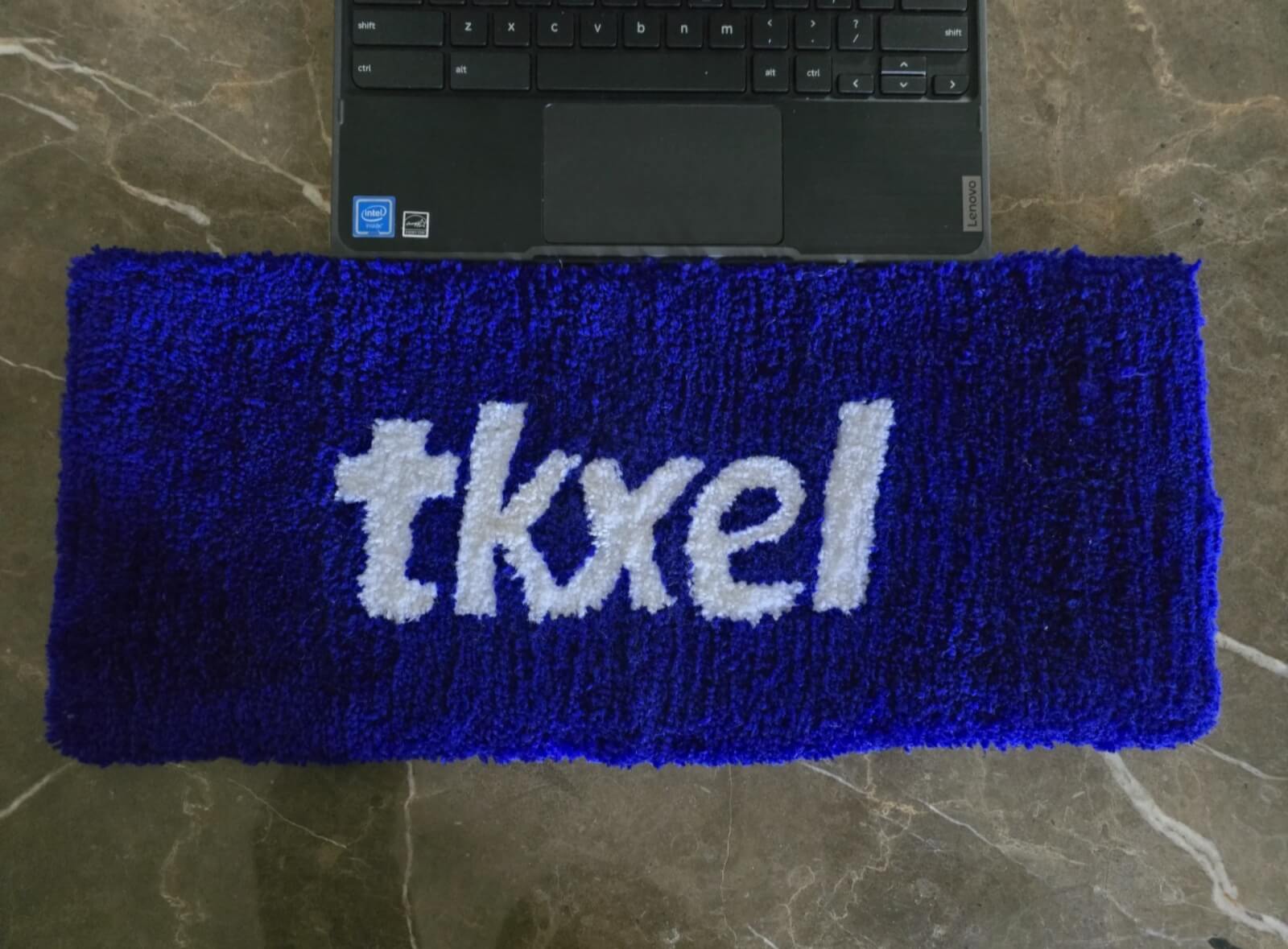
A branded keyboard rug is simply an extension of the workspace a company already provides. It sits alongside everything else on an employee’s desk, rather than replacing anything. A company logo, brand colours, or an approved design can be worked into the rug, so it becomes a small, steady part of the company’s presence at each desk.

This is important to think about employees at their existing desks. When the same branded design shows up across a team’s desks, whether people work in the office, from home, or a mix of both, it adds a small sense of consistency to daily work. So, the design still needs to work well as a keyboard rug first. Looks should not come at the cost of everyday use.

Keyboard Rugs for Office, Remote and Hybrid Employees

Office Employees

At a fixed office desk, a keyboard rug can be part of a consistent look across a team, especially if a company picks one branded design for a whole floor or department.

Remote Employees

For someone working from a home-office desk, a keyboard rug fits into the setup they already have. The value here is in daily, practical use. The rug is there because it gets used every day, not because it came in a one-time welcome box.

Hybrid Employees

Employees who split time between home and office may end up using a keyboard rug in both places, depending on how each desk is set up. Size and how easy the rug is to move around are worth checking for anyone who is not at the same desk every day.

What Should Companies Consider Before Ordering Keyboard Rugs for Employees?

  • Number of employees and workspaces.
  • Keyboard rug dimensions.
  • Material and construction.
  • Cleaning and maintenance needs.
  • Company logo and branding needs.
  • Whether employees work at office, home, or hybrid desks.
  • Whether custom sizes or designs are needed.
  • How the rug will fit into desks employees already use.

Conclusion

A keyboard rug is a small, practical addition to the part of the desk that gets the most daily use. The main points to think through are size, material, construction, comfort, and how well it fits an employee’s existing desk, whether that is in an office, at home, or both. A branded design can bring a bit of company identity into that everyday space, without asking employees to change how their desk is set up. Onboarding kits and workplace gifts are worth a look too. The main reason to choose a keyboard rug is that it gets used every day, right where employees already work.

If you are thinking about keyboard rugs for your team, Pile & Loop’s keyboard rug

FAQs

Why are keyboard rugs useful for employees who work at a computer all day?

A keyboard rug gives the keyboard area its own defined surface and fits into the desk setup an employee already uses, without asking for any change to their workstation.

Why does your keyboard need protection when you work from home all day?

The keyboard area gets regular contact through a long workday. A keyboard rug gives that spot an extra surface, apart from the rest of the desk.

How do keyboard rugs reduce desk fatigue during long work hours?

The feel, thickness, and size of a keyboard rug can affect daily comfort at the desk, since it is the surface your hands and wrists touch for hours. It is a small part of a comfortable setup, not a fix for pain or medical issues.

What size keyboard rug should I buy for my home office?

Measure your keyboard and desk space before you pick a size. Smaller rugs suit compact desks, larger ones suit desks with more room, and custom sizing is worth a look for desks with an unusual shape.

Are keyboard rugs useful for hybrid employees?

Yes. Employees who split time between home and office can use a keyboard rug in either setup. Size and how easy it is to move are worth checking for anyone who is not at the same desk each day.

Research Resources

Source title

Desk Mat Guide for Mechanical Keyboards

Publisher

https://kineticlabs.com/blog/desk-mat-guide-mechanical-keyboards

Information used

Keyboard Rug, how they bring comfort to the workspace. Difference in size, material and design.